 647-348-4995


- May 17, 2026
-
 Liam Hunt
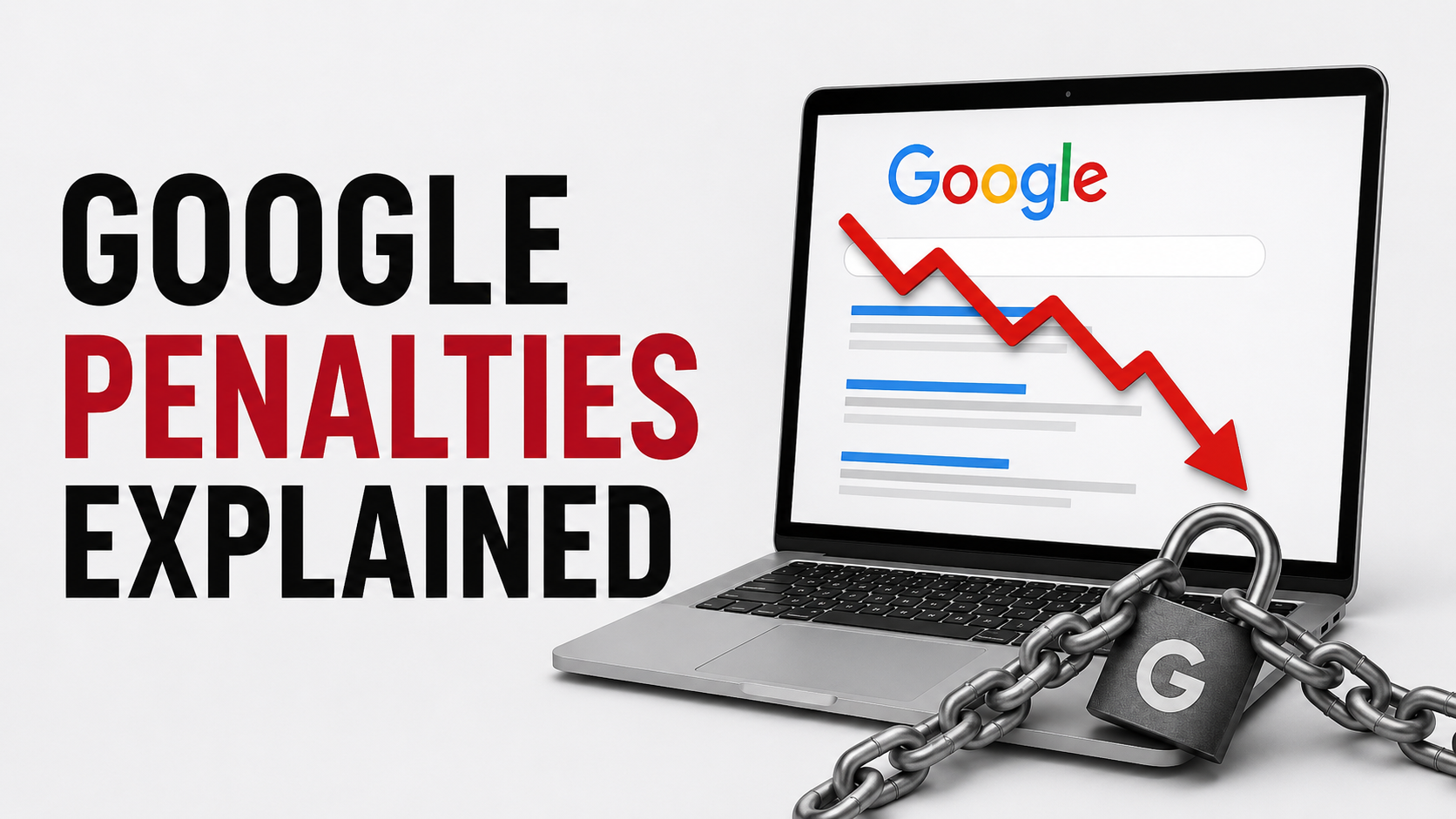
Whether you run a small e-commerce store, a local service business, a professional practice, or a digital marketing agency, few things are more stressful than watching your Google rankings suddenly plummet or flatline. I have seen it happen to business owners who depend on organic traffic for leads, calls, bookings, and sales, and it is never a fun conversation.
Worried About an SEO Drop?
Little Dragon Media helps businesses diagnose ranking drops, clean up technical SEO issues, improve content quality, and build safer long-term search strategies. If your website traffic has dropped and you are not sure why, we can help you figure out what is happening before you make the wrong move.
The tricky part is that people often use the word “penalty” for any ranking drop. In reality, not every traffic decline is a Google penalty. Sometimes it is a manual action. Sometimes it is an algorithmic drop. Sometimes it is a technical problem, a hacked website, a bad migration, a content quality issue, or simply stronger competitors overtaking you.
In this guide, I’ll explain what Google penalties actually are, how they differ from normal ranking drops, which SEO tactics can get you into trouble in 2026, and what to do if your website has already been hit.
What Is a Google Penalty?
A Google penalty usually refers to a situation where your website loses visibility because Google believes your site has violated its search spam policies or quality expectations. The term gets used loosely in the SEO world, but there are two main categories you need to understand:
| Type of Issue | What It Means | Where You Check |
|---|---|---|
| Manual action | A human reviewer at Google has determined that your site violates Google’s spam policies. | Google Search Console, under Manual Actions. |
| Algorithmic ranking drop | Google’s ranking systems have reassessed your pages and decided they deserve less visibility. | Traffic, ranking, crawl, and content analysis. Usually no manual-action notice appears. |
| Security issue | Your site may be hacked, infected, redirecting users, or showing spammy injected content. | Google Search Console, under Security Issues. |
Google explains that manual actions are issued when a human reviewer determines that pages on a site are not compliant with its spam policies. These issues can cause pages or entire websites to rank lower or be removed from search results. You can read Google’s explanation of manual actions here.
That distinction matters. If you have a manual action, you usually need to fix the issue and submit a reconsideration request. If you have an algorithmic drop, there is no reconsideration form to submit. You need to improve the site and wait for Google’s systems to reassess it.
Manual Action vs. Algorithmic Drop: Why the Difference Matters
One of the first things I check when a client tells me “Google penalized us” is whether Search Console actually shows a manual action. Many times, it does not. The rankings dropped, but there was no formal penalty notice.
That does not mean the drop is harmless. It just means the recovery path is different.
- Manual action: You need to identify the violation, fix it properly, document the cleanup, and request reconsideration.
- Algorithmic drop: You need to improve quality, relevance, technical health, internal linking, authority signals, and overall usefulness.
- Technical issue: You need to fix crawlability, indexation, canonicals, redirects, server errors, page speed, or site structure problems.
- Security issue: You need to clean the site, remove hacked content, update passwords, patch plugins, and request a review if Google flagged the issue.
If you are not sure where to start, a proper SEO audit and strategy review should look at more than keywords. It should check Search Console, backlinks, content quality, technical health, page templates, indexation, redirects, internal links, and recent site changes.
SEO Tactics That Can Hurt Your Rankings in 2026
SEO has changed a lot since the early days of keyword stuffing and link farms. The old tricks still cause problems, but modern Google issues are usually more subtle. Below are the tactics I would avoid if you want to build a safer, longer-lasting search presence.
1. Keyword Stuffing
Keyword stuffing is one of the oldest black-hat SEO tactics, but it still shows up more often than it should. It happens when a page repeats the same phrase unnaturally in headings, paragraphs, image alt text, footers, or hidden areas of the page.
For example, a Toronto plumber page should not repeat “best Toronto plumber” 25 times just because the owner wants to rank for that keyword. Google is much better at understanding topics, entities, and search intent now. Overusing the exact same phrase can make your page less helpful and less trustworthy.
A better approach is to write naturally and cover the topic fully. If you are creating service pages, think about the customer’s real questions: pricing, process, service area, timelines, proof, FAQs, and what makes your business different. This is also why strong content marketing matters. Good SEO content should satisfy the reader first and search engines second.
2. Paid or Manipulative Link Building
Backlinks are still part of SEO, but manipulative link building is one of the easiest ways to create long-term risk. Buying do-follow links, joining private blog networks, spamming comments, overusing exact-match anchor text, or publishing low-quality guest posts purely for links can all cause problems.
Google’s spam policies specifically discuss link spam and attempts to manipulate rankings through unnatural links. If a link exists only because money, exchange, automation, or manipulation was involved, you should be careful. Google’s current spam policies are available here.
In my experience, business owners often get into trouble because a cheap SEO provider promises fast link building. A few months later, they have links from irrelevant blogs, coupon pages, foreign-language sites, spam directories, or AI-generated websites that have nothing to do with their business. That is not a brand asset. It is a cleanup project waiting to happen.
3. Thin or Unhelpful Content
Thin content is not just short content. A 500-word page can be useful, and a 3,000-word page can be useless. The real question is whether the page gives the searcher enough value to justify its ranking.
Thin content often looks like this:
- Service pages with only a few generic paragraphs.
- City pages that swap out the location name but say the same thing everywhere.
- Blog posts that repeat obvious advice without adding experience or examples.
- Affiliate or review pages that summarize other websites without original insight.
- AI-generated articles published at scale without editing, expertise, or fact-checking.
For local businesses, thin content often shows up on city pages. If you are targeting Toronto, Mississauga, Vancouver, Calgary, Montreal, Ottawa, Edmonton, Winnipeg, Halifax, or other major markets, each page needs to feel locally useful. A proper local page should mention the local market, customer needs, proof points, nearby service areas, and real business context. Our guide to improving local SEO rankings goes deeper into that issue.
4. Scraped, Spun, or Mass-Rewritten Content
Copying content from other websites is a bad idea. So is taking someone else’s article, changing a few sentences, and calling it original. Google does not need every article on the internet to be completely new in topic, but it does want pages to provide original value.
This is especially important now that so many businesses use AI writing tools. There is nothing wrong with using tools to assist with research, outlines, editing, or formatting. The problem starts when websites publish large volumes of generic content that adds nothing new.
Google has specifically addressed scaled content abuse, which includes creating large amounts of content primarily to manipulate search rankings. The safest approach is simple: publish fewer, better pages. Add original experience, examples, screenshots, expert input, data, comparisons, opinions, and practical advice.
5. Doorway Pages
Doorway pages are pages created mainly to rank for slight variations of the same search query and funnel users to the same destination. They are common in local SEO because businesses want to rank in every city, suburb, and neighborhood.
There is nothing wrong with having separate location pages when each location or service area is genuinely different. The problem is creating dozens of near-identical pages with only the city name changed.
For example, if a company creates separate pages for Toronto, Mississauga, Brampton, Vaughan, Markham, and Oakville, each page should provide something distinct. The local competition, examples, service notes, FAQs, testimonials, and calls to action should not be copy-pasted from one page to another.
6. Hacked Content and Spam Injections
Not every SEO problem comes from intentional spam. Sometimes your site gets hacked and spam pages appear without your knowledge. I have seen websites suddenly index hundreds or thousands of strange URLs for casinos, adult content, fake stores, pills, or foreign-language pages. The business owner often has no idea until rankings drop or Search Console sends a warning.
This is one reason website maintenance matters. If your WordPress core, plugins, themes, passwords, and backups are neglected, your SEO can suffer even if your content strategy is solid. A good WordPress maintenance plan should include updates, backups, malware monitoring, security hardening, and quick cleanup support.
7. Misusing AI Content
AI has changed content production, but it has also created a lot of low-value pages. The issue is not simply whether AI was involved. The issue is whether the final content is accurate, helpful, original, edited, and clearly created for users.
I have no problem with businesses using AI as part of their workflow. We use modern tools too. But publishing generic AI content without fact-checking, expert review, original insight, or brand voice is risky. It can also make your website sound like every other website in your industry.
If you use AI, humanize the work. Add real examples. Verify claims. Include your own experience. Make sure the page answers the question better than the current search results. We covered this more directly in our article on how to humanize AI-generated content.
8. Site Reputation Abuse
Site reputation abuse happens when a website publishes third-party content mainly to take advantage of the host site’s ranking power. This has become a major issue in search because strong domains can be used to rank content that the core editorial team barely controls.
For most small businesses, this is less common than keyword stuffing or thin content. But it matters if you accept guest posts, sponsored posts, partner pages, advertorials, coupons, or third-party review content. If that content is not closely reviewed, relevant, useful, and aligned with your site’s purpose, it can create SEO risk.
How to Check If Your Website Has a Google Penalty
If your rankings dropped, do not panic and start deleting pages randomly. That is one of the worst things you can do. Start with a proper diagnosis.
- Check Manual Actions in Google Search Console. If Google issued a manual action, you should see it there.
- Check Security Issues in Google Search Console. Look for hacked content, malware warnings, deceptive pages, or suspicious redirects.
- Compare the traffic drop against known Google updates. If the drop lines up with a core update, spam update, or helpful-content-related change, you may be dealing with an algorithmic issue.
- Review your top losing pages. In Google Search Console, sort pages by clicks lost and compare date ranges.
- Inspect indexation and canonicals. Use the URL Inspection tool to see whether Google can crawl, index, and understand the page correctly.
- Audit backlinks carefully. Do not assume every spammy-looking link is hurting you, but look for patterns of paid, manipulative, or unnatural link building.
- Check recent site changes. Look at redirects, templates, navigation, internal links, plugins, page builder changes, robots.txt, noindex tags, and canonical tags.
This is also where a broader website maintenance and technical review can save time. Sometimes the issue is not “bad SEO” at all. It might be a staging site accidentally indexed, a noindex tag left on key pages, broken redirects, blocked resources, or a plugin conflict.
How to Recover From a Google Penalty or Ranking Drop
The recovery process depends on what caused the problem. A manual action needs a different response than a core update drop. A hacked site needs a different response than thin content. But in most cases, the process follows the same general path.
Step 1: Confirm the Type of Problem
Start by identifying whether you have a manual action, security issue, technical problem, or algorithmic decline. Do not skip this step. If you misdiagnose the issue, you can waste months fixing the wrong thing.
Step 2: Document What Changed
Create a simple timeline. Note when rankings dropped, when traffic changed, when the site was updated, when plugins were installed, when pages were edited, when redirects were changed, and when major Google updates happened. This timeline often reveals patterns.
Step 3: Fix the Actual Cause
Depending on the issue, that may mean:
- Removing hacked pages and strengthening security.
- Improving thin or outdated content.
- Consolidating duplicate or overlapping pages.
- Removing doorway-style local pages.
- Cleaning up manipulative internal linking.
- Removing or disavowing unnatural backlinks when appropriate.
- Fixing crawl, canonical, redirect, or indexation issues.
Step 4: Use the Disavow Tool Carefully
The disavow tool is not something I recommend using casually. Google’s own documentation says you should generally use it only if you have a considerable number of spammy, artificial, or low-quality links pointing to your site and you believe those links are causing a manual action or likely to cause one. You can read Google’s disavow documentation here.
In plain English: do not upload a disavow file just because a third-party SEO tool says some links look toxic. Many strange links are ignored by Google already. Use disavow when there is a real pattern of unnatural links, especially if you or a previous agency created them.
Step 5: Submit a Reconsideration Request If You Have a Manual Action
If Google issued a manual action and you fixed the problem, you can submit a reconsideration request. Google describes this as a request to review your site after you fix problems identified in a manual action or security issue. You can read Google’s reconsideration request guidance here.
Be honest and specific. Explain what happened, what you fixed, and what steps you took to prevent it from happening again. Do not blame Google. Do not pretend nothing happened. If a previous SEO provider built bad links, say so and explain what you cleaned up.
Step 6: Improve the Site Beyond the Immediate Fix
Recovery is not always instant. Even after you fix the obvious issue, you may still need to improve the website. That can include better content, stronger internal links, cleaner design, improved page speed, better calls to action, stronger local relevance, and a clearer overall strategy.
This is where I like to look beyond “penalty recovery” and ask a bigger question: would this website deserve to rank if I compared it honestly against the best pages already ranking? If the answer is no, the job is not done.
How to Avoid Google Penalties in the First Place
The best penalty recovery strategy is not needing one. If you want to reduce risk, build your SEO around quality, clarity, and usefulness.
- Create content for real customers. Answer questions clearly and add useful details that competitors missed.
- Avoid shortcut link building. If a link package sounds too cheap, too fast, or too easy, it is probably risky.
- Keep your website secure. Update plugins, monitor for malware, and back up your website regularly.
- Use AI responsibly. Edit, fact-check, and add original insight before publishing.
- Build clean site architecture. Make sure users and search engines can understand your most important pages.
- Track your rankings and Search Console data. The earlier you spot a drop, the easier it is to diagnose.
If you are investing in search, your SEO plan should not be a collection of random blog posts and backlinks. It should connect strategy, content, technical SEO, local SEO, conversion, and brand authority. That is the same reason we often compare organic SEO against paid campaigns in conversations about SEO vs. Google Ads. Both channels can work, but each one needs the right expectations and execution.
Final Thoughts: Play the Long Game
Google penalties are scary, but they are usually preventable. The sites that get into trouble often chase shortcuts: cheap links, mass-produced pages, copied content, doorway pages, or aggressive tactics that might work briefly but eventually create risk.
After more than two decades in digital marketing, my view is pretty simple: SEO rewards patience more than people want to admit. You do not need to be perfect, but you do need to build a website that is useful, trustworthy, technically healthy, and better than the pages you are trying to outrank.
If your traffic has already dropped, do not guess. Check Search Console, review your site changes, audit your content, inspect your links, and look at the issue from multiple angles. If you need help, Little Dragon Media can review the situation and help you create a realistic recovery plan.
Need Help Diagnosing a Ranking Drop?
If your rankings, leads, or organic traffic have dropped, we can help you identify whether the issue is content-related, technical, link-related, algorithmic, or connected to a manual action.
FAQ: Google Penalties and SEO Ranking Drops
What is a Google penalty?
A Google penalty usually refers to a loss of search visibility caused by a violation of Google’s spam policies. The clearest version is a manual action, where a human reviewer at Google flags your site. Many ranking drops, however, are algorithmic and do not show a manual-action notice.
How do I know if my site has a manual action?
Log in to Google Search Console and check the Manual Actions section. If Google has issued a manual action, the report should explain the type of issue and which pages or parts of the site are affected.
Is every ranking drop a Google penalty?
No. A ranking drop can be caused by a manual action, algorithm update, technical SEO issue, website migration problem, stronger competitors, lost backlinks, poor content quality, seasonality, or tracking errors. You need to diagnose the cause before deciding how to fix it.
Can bad backlinks hurt my website?
Bad backlinks can hurt your site if they are part of a manipulative or unnatural link pattern. However, not every spammy-looking link is a crisis. Google often ignores many low-quality links automatically. The disavow tool should be used carefully, usually when there is a strong reason to believe unnatural links are creating a real problem.
Does duplicate content cause a Google penalty?
Normal duplicate content does not always cause a penalty, but copied, scraped, spun, or mass-rewritten content can create serious SEO problems. If your page does not add original value beyond what already exists online, it will usually struggle to rank well.
Can AI-generated content get a website penalized?
AI-generated content is not automatically a penalty issue. The risk comes from publishing low-quality, inaccurate, generic, or scaled content designed mainly to manipulate rankings. If AI is used, the final article should be edited, fact-checked, original, useful, and aligned with real user needs.
How long does it take to recover from a Google penalty?
It depends on the issue. Manual-action recovery can take time because you need to fix the problem and submit a reconsideration request. Algorithmic recovery can take longer because Google’s systems need to reassess the site after improvements are made. Some recoveries take weeks, while others take months.
Should I delete pages after a Google ranking drop?
Not automatically. Deleting pages without a plan can make the problem worse. First, identify whether the pages are thin, outdated, duplicated, irrelevant, technically broken, or still useful. In many cases, improving, consolidating, redirecting, or noindexing pages is smarter than deleting them blindly.
What should I do first if my organic traffic suddenly drops?
Start with Google Search Console. Check Manual Actions, Security Issues, indexing, top losing pages, and query data. Then review recent site changes, redirects, content updates, plugin changes, server issues, and known Google updates. The first goal is to diagnose the drop, not to make random changes.

Liam Hunt, M.A., is a writer and digital marketing specialist whose writing has appeared in the Vancouver Sun, Asia Times, and US News and World Report.